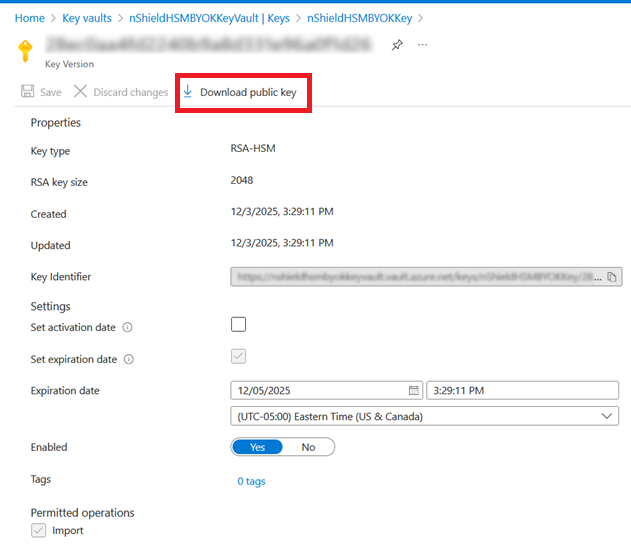
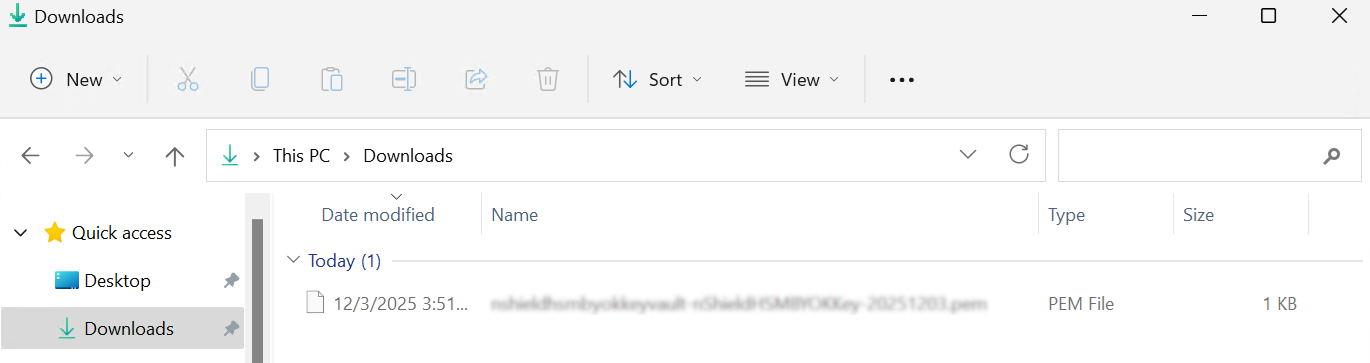
Create the Key Exchange Key in Azure
All procedures in this section should be completed on the online computer.
Update key vault SKU to premium tier
Skip this section if you are already on the premium tier.
-
Open a PowerShell console with administrator privileges.
-
Connect to Azure.
> Connect-AzAccount -TenantId <tenant-id> -SubscriptionId <subscription-id> -
Run the following commands.
$vault = Get-AzResource -ResourceName <key-vault-name> -ResourceGroupName <resource-group-name> -ResourceType Microsoft.KeyVault/vaults -ExpandPropertiesFor example:
$vault = Get-AzResource -ResourceName "nShieldHSMBYOKKeyVault" -ResourceGroupName "nShieldHSMBYOKResource" -ResourceType Microsoft.KeyVault/vaults -ExpandProperties $vault.Properties.sku.name = 'Premium' Set-AzResource -ResourceId $vault.ResourceId -Tags $vault.Tags -Properties $vault.Properties Confirm Are you sure you want to update the following resource: /subscriptions/... vaults/nShieldHSMBYOKKeyVault [Y] Yes [N] No [S] Suspend [?] Help (default is "Y"): Name : nShieldHSMBYOKKeyVault ResourceId : /subscriptions/.../resourceGroups/nShieldHSMBYOKResource/providers /Microsoft.KeyVault/vaults/nShieldHSMBYOKKeyVault ResourceName : nShieldHSMBYOKKeyVault ResourceType : Microsoft.KeyVault/vaults ResourceGroupName : nShieldHSMBYOKResource Location : eastus SubscriptionId : ... Tags : {} Properties : @{sku=; tenantId=...; accessPolicies=System.Object[]; enabledForDeployment=True; enabledForDiskEncryption=True; enabledForTemplateDeployment=True; enableSoftDelete=True; softDeleteRetentionInDays=90; enableRbacAuthorization=False; vaultUri=https://nshieldhsmbyokkeyvault.vault.azure.net/; provisioningState=Succeeded} -
Sign into the Azure WebGUI.
-
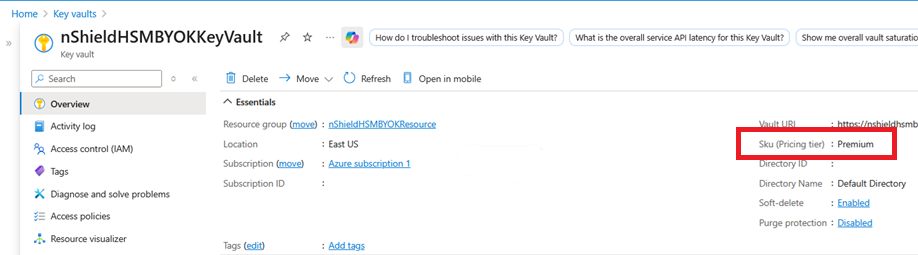
Verify the vault’s SKU has changed to Premium as expected.
Create the Key Exchange Key (KEK)
-
Open a PowerShell console with administrator privileges.
-
Connect to Azure using the
azcommand.> az login --tenant <tenant-id> -
Enter the following command to create an Azure KEK in the key vault.
> az keyvault key create --kty <key-type>-HSM --size <key-size> --name <kek-name> --ops import --vault-name <key-vault-name>For example:
> az keyvault key create --kty RSA-HSM --size 2048 --name nShieldHSMBYOKKey --ops import --vault-name nShieldHSMBYOKKeyVault { "attributes": { "created": "2025-12-03T20:29:11+00:00", "enabled": true, "expires": "2025-12-05T20:29:11+00:00", "exportable": false, "hsmPlatform": "2", "notBefore": null, "recoverableDays": 90, "recoveryLevel": "Recoverable+Purgeable", "updated": "2025-12-03T20:29:11+00:00" }, "key": { "crv": null, "d": null, "dp": null, "dq": null, "e": "AQAB", "k": null, "keyOps": [ "import" ], "kid": "https://nshieldhsmbyokkeyvault.vault.azure.net/keys/nShieldHSMBYOKKey/28ec0aa4fd2240b9a8d331e96a0f1d26", "kty": "RSA-HSM", "n": "nzwJI3YtIMc36UrKB2lvgCn9cgvQ/GkrcWHHl24bybx0rqafff8DIIlgQ5rgvEdEkLvHwZGQQ3JyzfnQUWVoT/BtMWbeoaFPhYR1KYaThGUel4yFpznK2Z0s1E8UmEz2HFp0WdvPVpvcTCdQ31gLKpcluRcCVQLVeMfqDp/TSFyDvMT2xBgrbXjrLp6g7gwC2qRYL+46c60mVGr4o/RStSdYaXC1pMikBN6G6oL/x1scxDXMm3kAMU3fY+EysNo10Q7XRsvJE2Hn1NwtK9FBsiU4Tc/PBWc3WenJY+f1aAz4gZxVcwZ1ys4y+uD/YfV2ef3sgHAScMeiaz1ZOe1+/Q==", "p": null, "q": null, "qi": null, "t": null, "x": null, "y": null }, "managed": null, "releasePolicy": null, "tags": null } -
Notice the "kid" above. You will needed it later.