Example of a root CA with PQC
Create a certificate profile
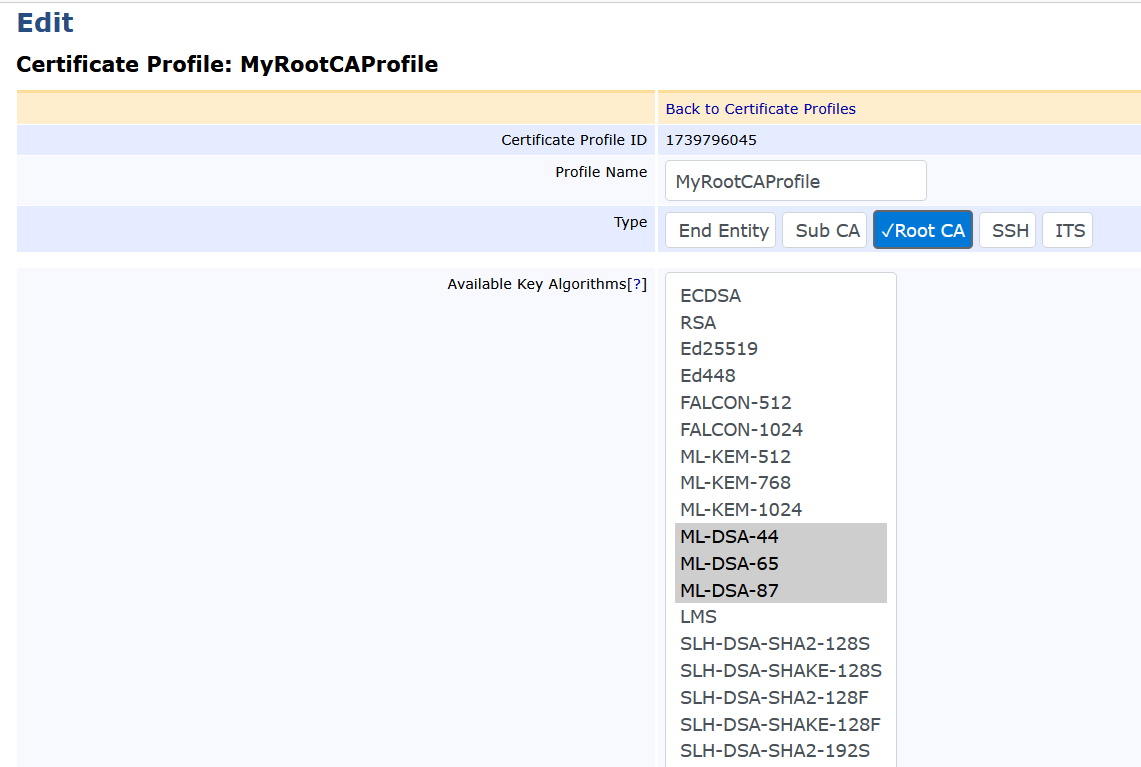
Create a certificate profile as described in the Keyfactor documentation: Create certificate profile.
For example:
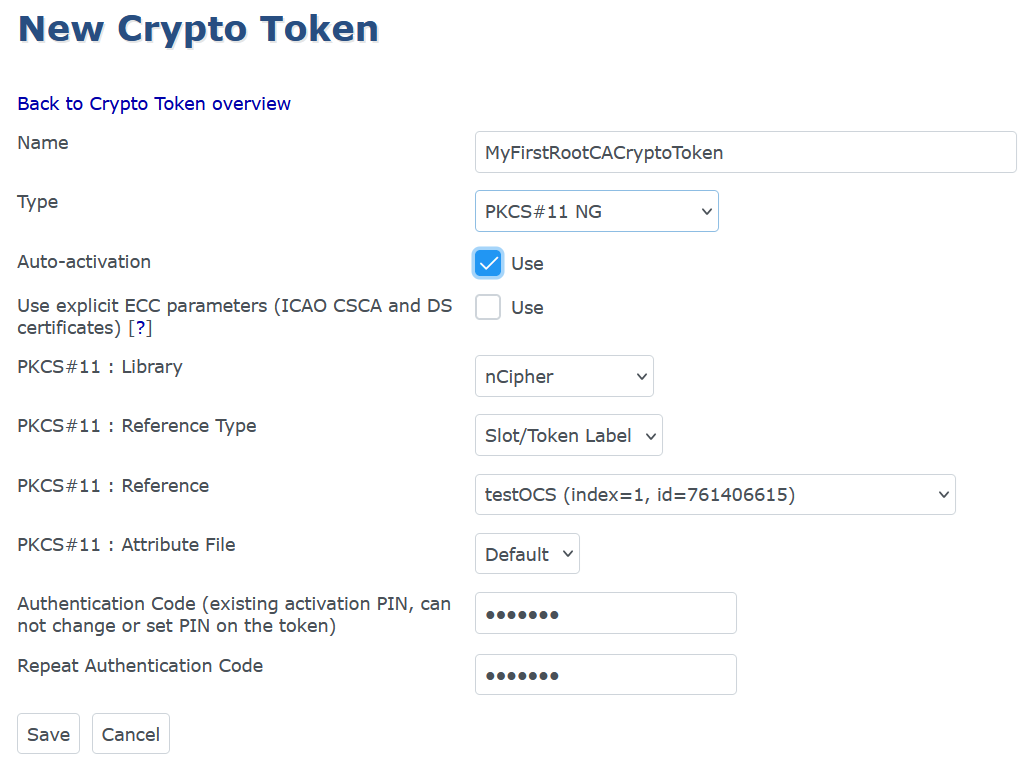
Create a Crypto Token
-
Create a crypto token as described in the Keyfactor documentation: Create crypto token.
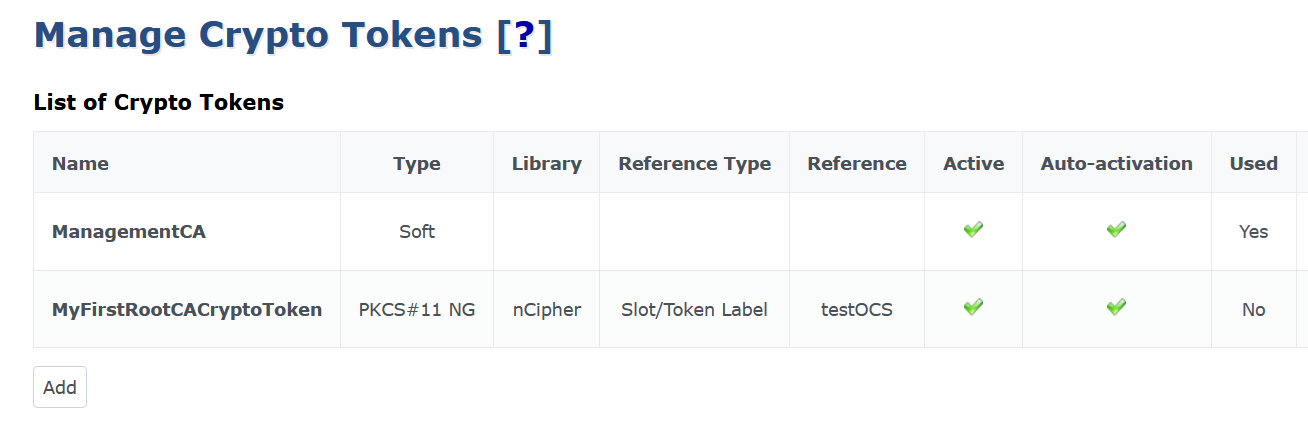
The crypto token is added to the list.
-
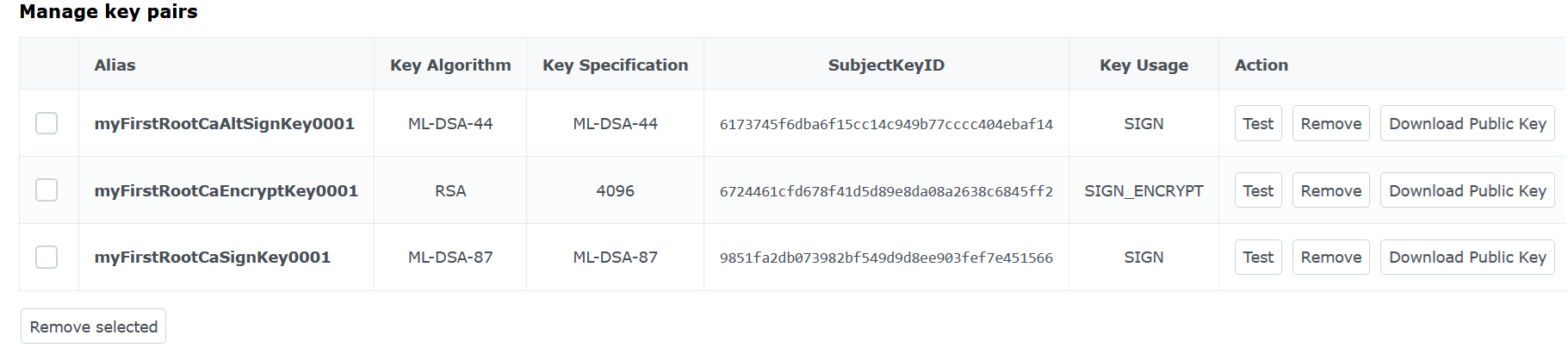
Generate the following keys:
Name Algorithm Key Usage myFirstRootCaSignKey0001
ML-DSA-87
Sign / Verify
myFirstRootCaAltSignKey0001
ML-DSA-44
Sign / Verify
myFirstRootCaEncryptKey0001
RSA 4096
Sign and Encrypt
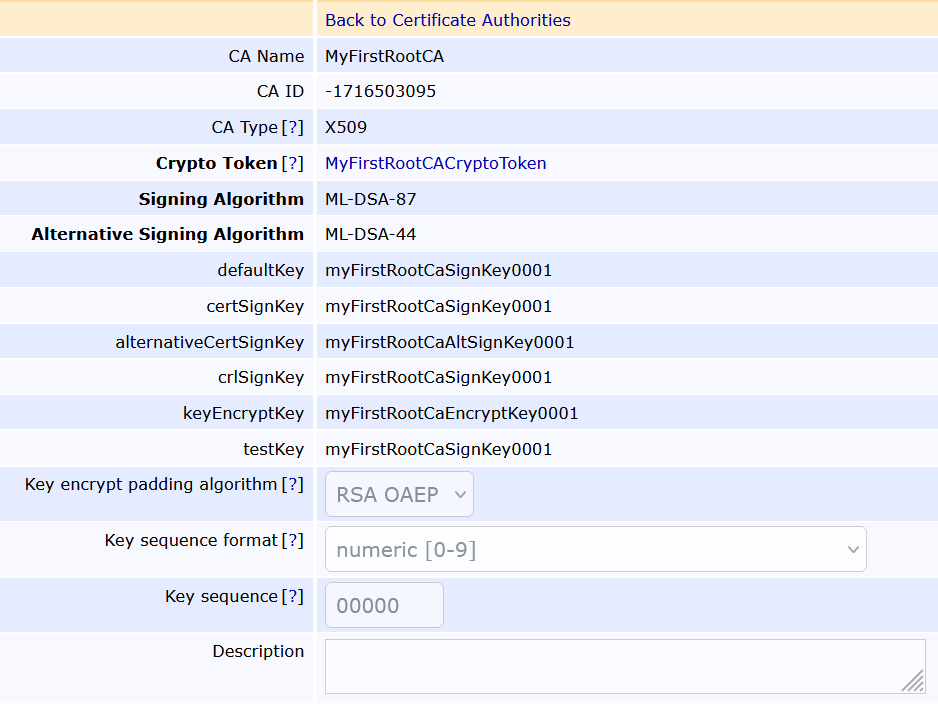
Create the CA
-
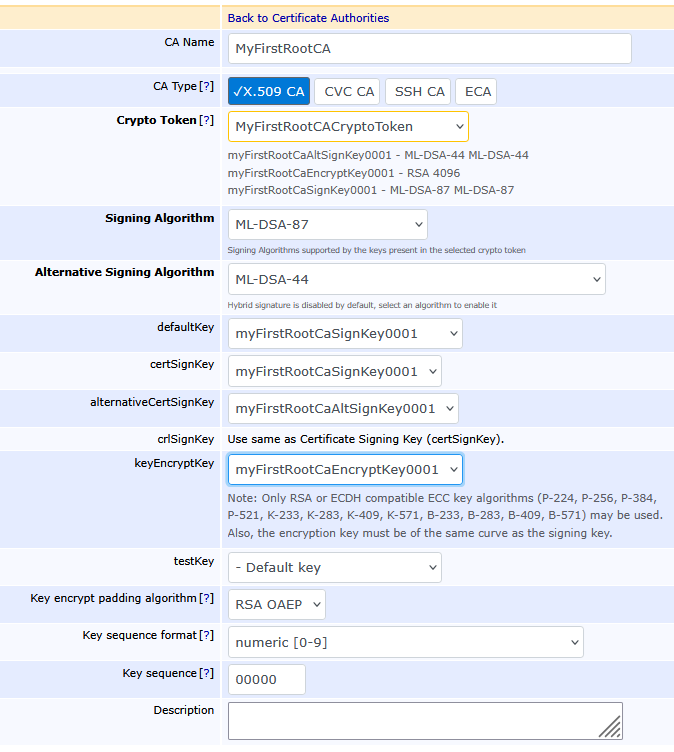
Create the root CA as described in the Keyfactor documentation: Create CA.
For example:
-
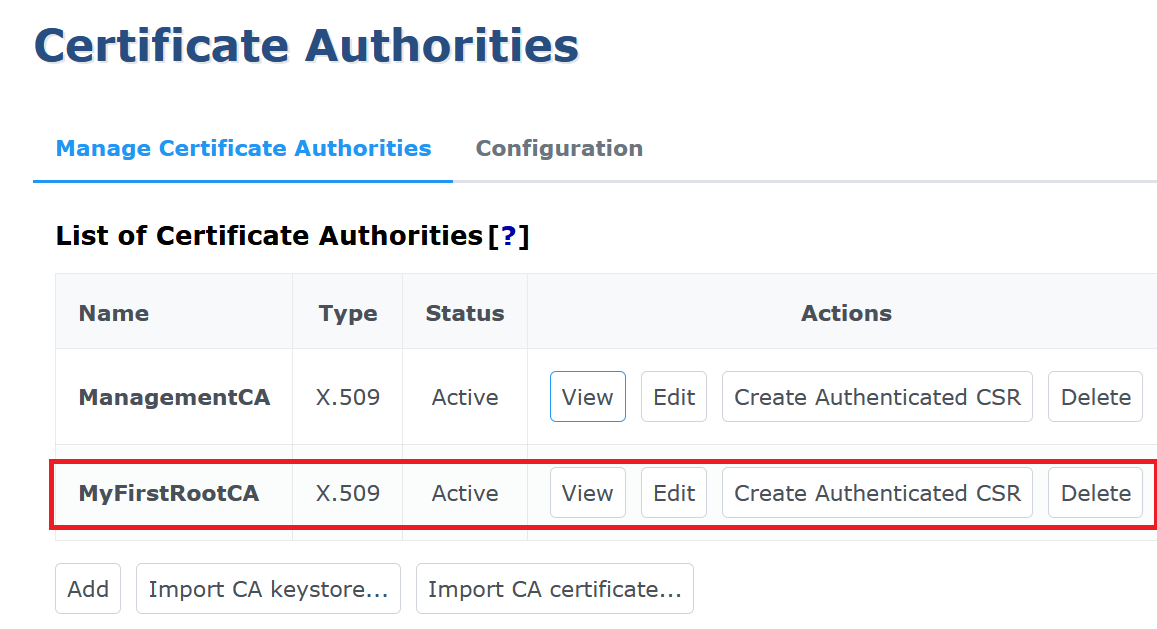
The new CA appears in the list of certificate authorities:
-
Select the View icon to display the new CA details.