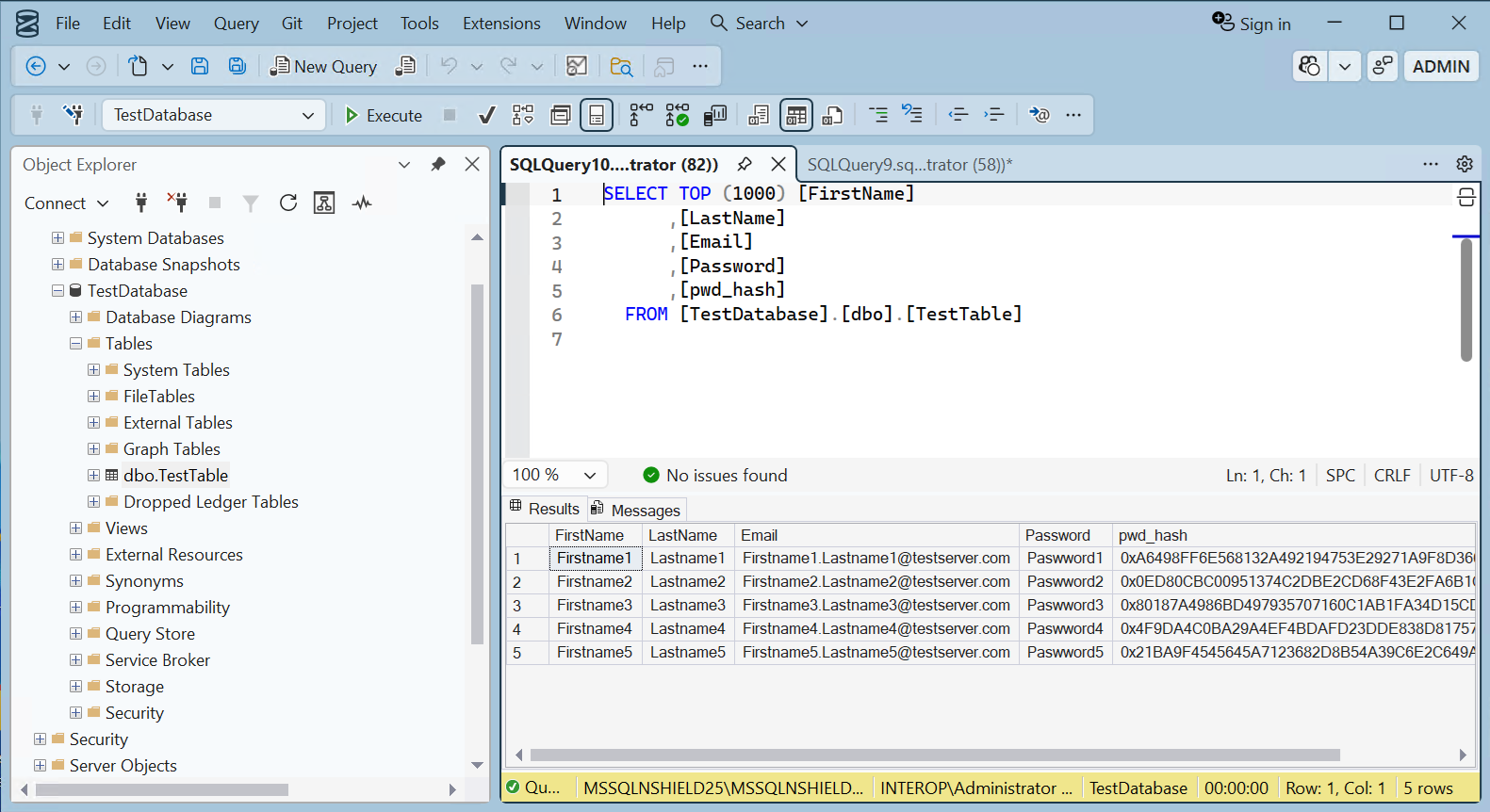
Column level encryption
Table column data can be protected by an Entrust nShield HSM protected key. These nDSOP EKM keys can encrypt/decrypt data in a column.
Create a new key
Create a new key within the SQL Server database to encrypt a column. This key will be protected by the Entrust nShield HSM.
-
Insert the OCS in the HSM slot or TVD. If using Softcard protection, no action is needed.
-
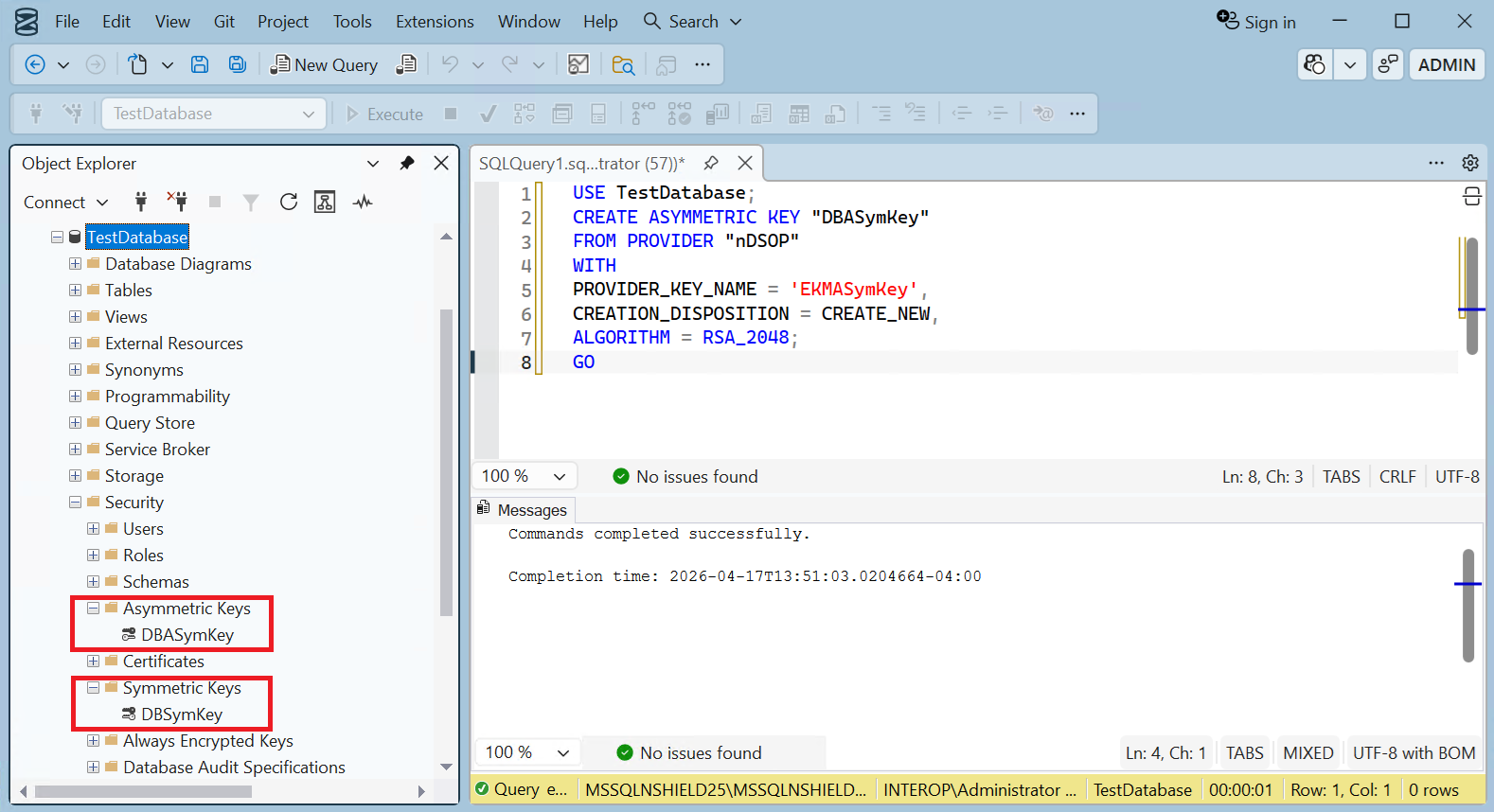
To create an symmetric key, run the following query:
USE TestDatabase; CREATE SYMMETRIC KEY "DBSymKey" FROM PROVIDER "nDSOP" WITH PROVIDER_KEY_NAME = 'EKMSymKey', IDENTITY_VALUE = '$DBSymKey', CREATION_DISPOSITION = CREATE_NEW, ALGORITHM = AES_256; GO -
To create a asymmetric key, run the following query:
USE TestDatabase; CREATE ASYMMETRIC KEY "DBASymKey" FROM PROVIDER "nDSOP" WITH PROVIDER_KEY_NAME = 'EKMASymKey', CREATION_DISPOSITION = CREATE_NEW, ALGORITHM = RSA_2048; GO -
Verify the keys created above.
> nfkminfo -l

Keys protected by cardsets:
 key_simple_sqlekm-edb3d45a28e5a6b22b033684ce589d9e198272c2-026abe8f340d2c124f68f006a8ee37fd58a2cc26 `AsymTestWrappingKeySQLEKM'
 key_simple_sqlekm-edb3d45a28e5a6b22b033684ce589d9e198272c2-4fb51bde7597bbf997f6a2c918d1a751651b1e36 `EKMASymKey'
 key_simple_sqlekm-edb3d45a28e5a6b22b033684ce589d9e198272c2-aadcea7a00fca427316e483cb5168f7a1a0dc515 `EKMSymKey'
 key_simple_sqlekm-edb3d45a28e5a6b22b033684ce589d9e198272c2-b08737c94cff5a51a3483c60c7ff883bb6e998c9 `AsymTestWrappingKeySQLEKM2'
Import an existing key
The Entrust nShield HSM utility generatekey will be used to create an asymmetric key. Then this key will be imported in the SQL Server.
-
Run the utility generatekey interactive as show below:
The ident: Key identifier? [] must begin with sqlekm-, and may not contain upper case characters. > generatekey simple protect: Protected by? (token, softcard, module) [token] > slot: Slot to read cards from? (0-5) [0] > recovery: Key recovery? (yes/no) [yes] > type: Key type? (AES, DES2, DES3, DH, DHEx, DSA, EC, ECDH, ECDSA, HMACSHA1, HMACSHA256, HMACSHA384, HMACSHA512, Rijndael, RSA) [RSA] > size: Key size? (bits, minimum 1024) [2048] > OPTIONAL: pubexp: Public exponent for RSA key (hex)? [] > ident: Key identifier? [] > sqlekm-ekmexistingasymkey plainname: Key name? [] > EKMExistingASymKey nvram: Blob in NVRAM (needs ACS)? (yes/no) [no] > key generation parameters: operation Operation to perform generate application Application simple protect Protected by token slot Slot to read cards from 0 recovery Key recovery yes verify Verify security of key yes type Key type RSA size Key size 2048 pubexp Public exponent for RSA key (hex) ident Key identifier sqlekm-ekmexistingasymkey plainname Key name EKMExistingASymKey nvram Blob in NVRAM (needs ACS) no Loading cardset(s): Module 1 slot 2: `testOCS' #2 Module 1 slot 0: empty Module 1 slot 3: empty Module 1 slot 4: empty Module 1 slot 5: empty Module 1 slot 2:- passphrase supplied - reading card Card reading complete. Key successfully generated. Path to key: C:\ProgramData\nCipher\Key Management Data\local\key_simple_sqlekm-ekmexistingasymkey -
Notice the newly created key.
> nfkminfo -l Keys protected by cardsets: key_simple_sqlekm-edb3d45a28e5a6b22b033684ce589d9e198272c2-026abe8f340d2c124f68f006a8ee37fd58a2cc26 `AsymTestWrappingKeySQLEKM' key_simple_sqlekm-edb3d45a28e5a6b22b033684ce589d9e198272c2-4fb51bde7597bbf997f6a2c918d1a751651b1e36 `EKMASymKey' key_simple_sqlekm-edb3d45a28e5a6b22b033684ce589d9e198272c2-aadcea7a00fca427316e483cb5168f7a1a0dc515 `EKMSymKey' key_simple_sqlekm-edb3d45a28e5a6b22b033684ce589d9e198272c2-b08737c94cff5a51a3483c60c7ff883bb6e998c9 `AsymTestWrappingKeySQLEKM2' key_simple_sqlekm-ekmexistingasymkey `EKMExistingASymKey' -
Import the newly created key by running the following query. Re-start the SSMS if the key is not found.
USE TestDatabase;
GO
CREATE ASYMMETRIC KEY "DBExistingASymKey"
FROM PROVIDER "nDSOP"
WITH
PROVIDER_KEY_NAME = 'EKMExistingASymKey',
CREATION_DISPOSITION = OPEN_EXISTING;
GO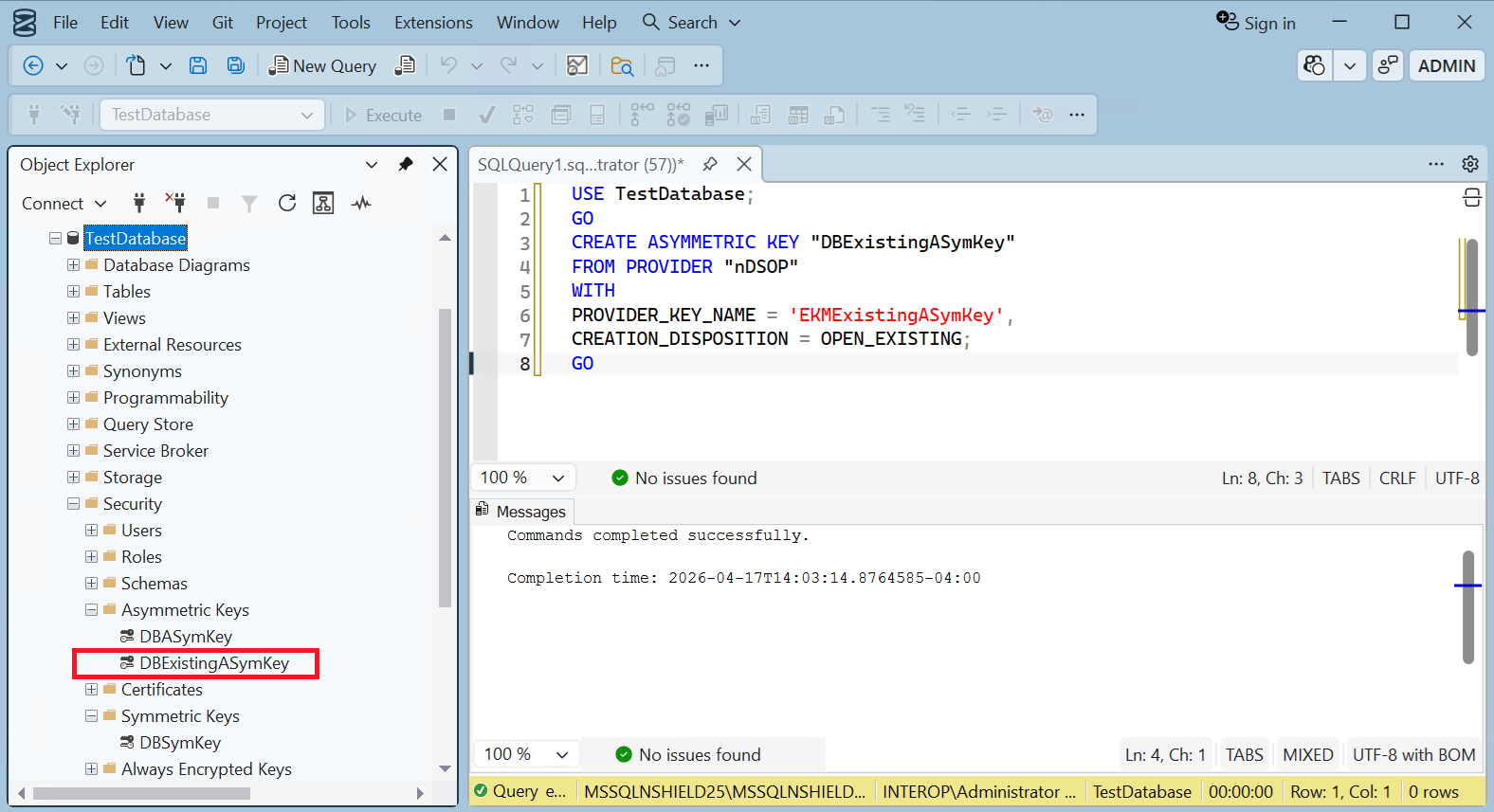
Encrypt a column with a symmetric key
To encrypt a column with a symmetric key:
-
Run the following query to create a new pwd_hash column that contains the encrypted passwords using the symmetric key created earlier. Populate the Password column with blank values.
USE TestDatabase; ALTER TABLE TestTable ADD pwd_hash VARBINARY (256); GO UPDATE TestTable SET pwd_hash = ENCRYPTBYKEY(KEY_GUID('DBSymKey'), Password); UPDATE TestTable SET Password = ''; GO -
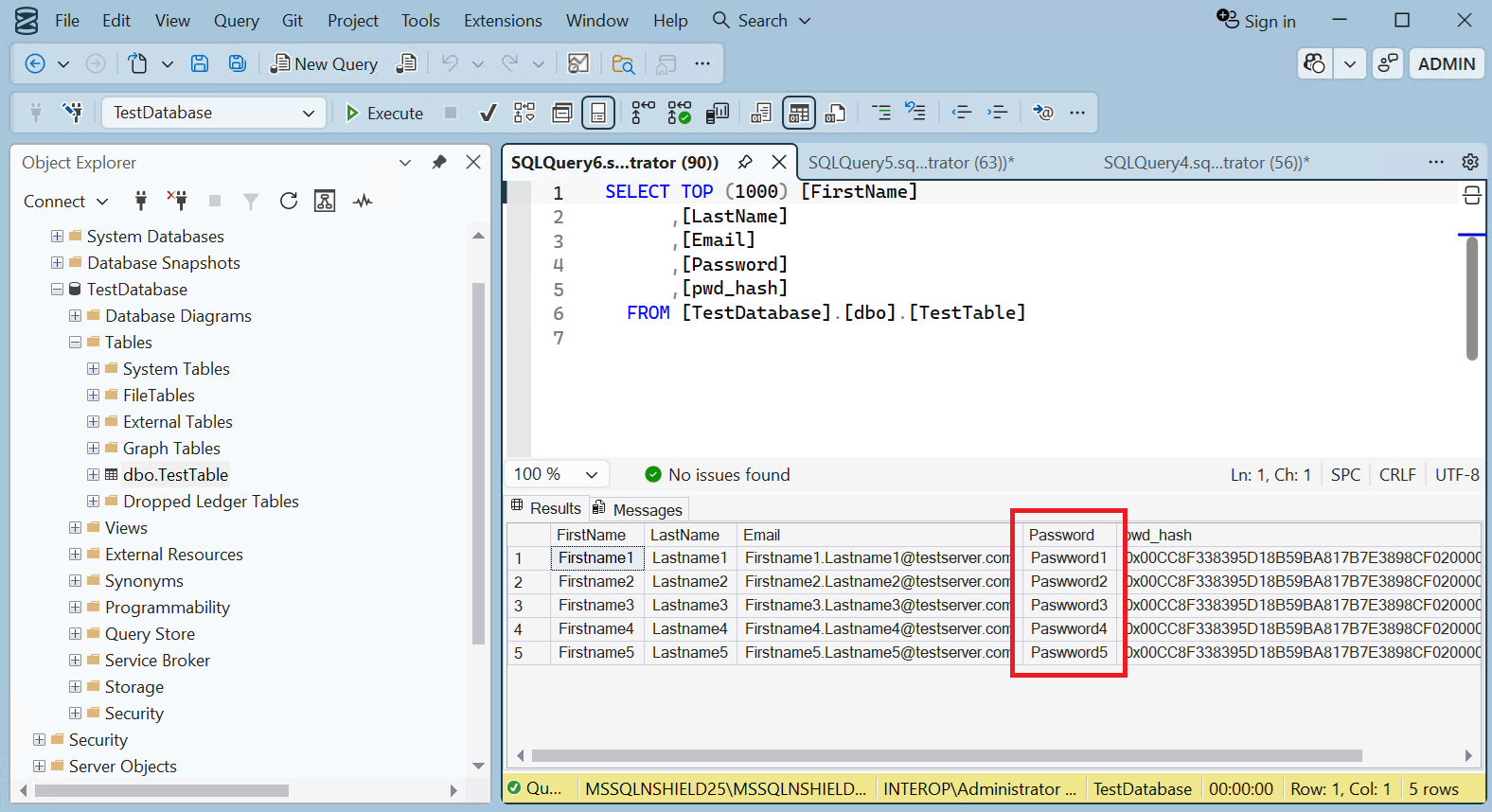
Notice the new pwd_hash column containing the encrypted passwords.
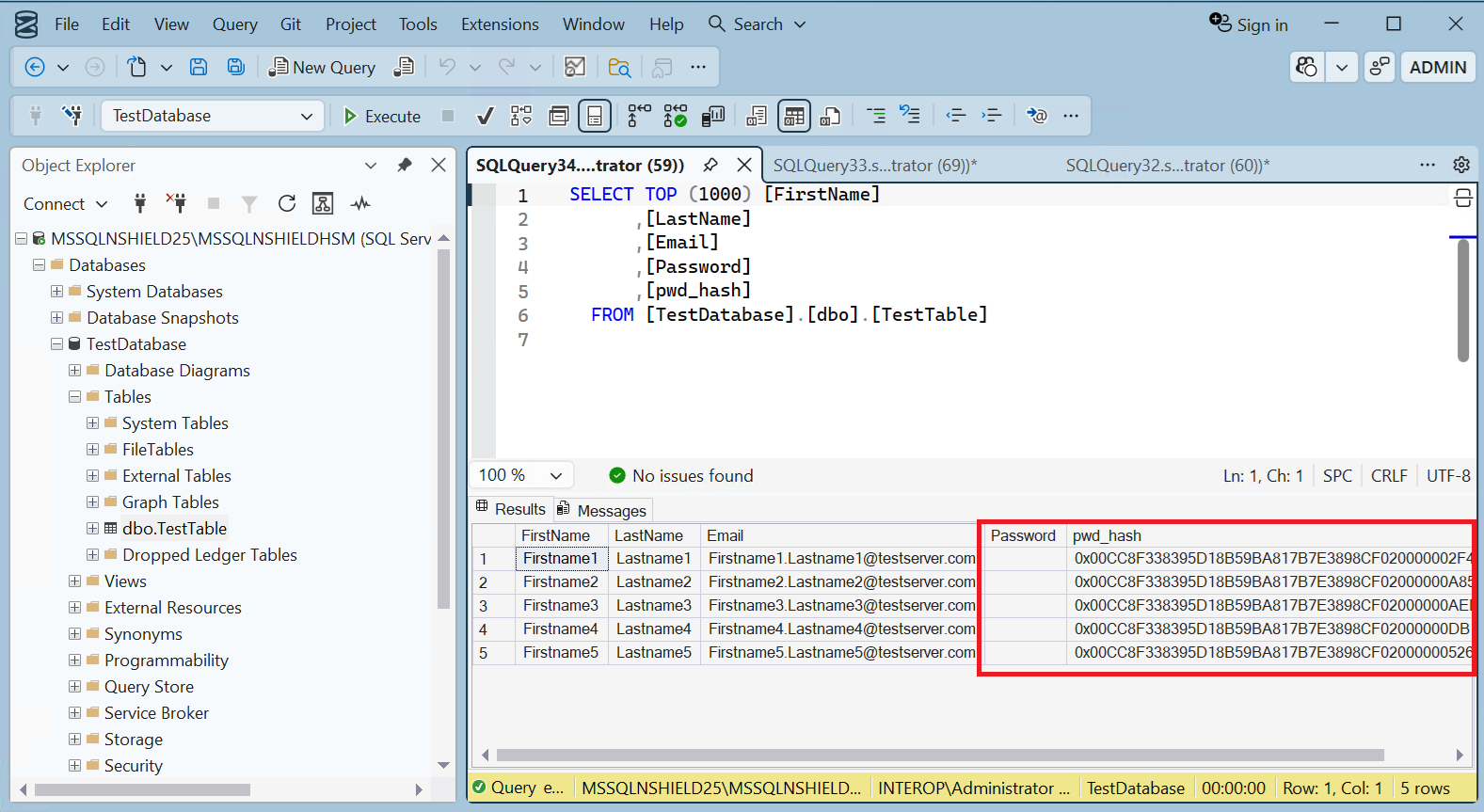
Clear the "Invalid column name 'pwd_hash'" error by selecting Toolbar > Edit > IntelliSense > Refresh Local Cache. -
Run the following query to decrypted the column above.
USE TestDatabase; UPDATE TestTable SET Password = DecryptByKey(pwd_hash); GO -
Notice the Password column is now populated with the decrypted password.
Encrypt a column with an asymmetric key
To encrypt a column with an asymmetric key:
-
Run the following query to encrypt the passwords with the asymmetric key created above, and populate the Password column with blanks.
USE TestDatabase; UPDATE TestTable SET pwd_hash = ENCRYPTBYASYMKEY(ASYMKEY_ID('DBASymKey'), Password); UPDATE TestTable SET Password = ''; GO -
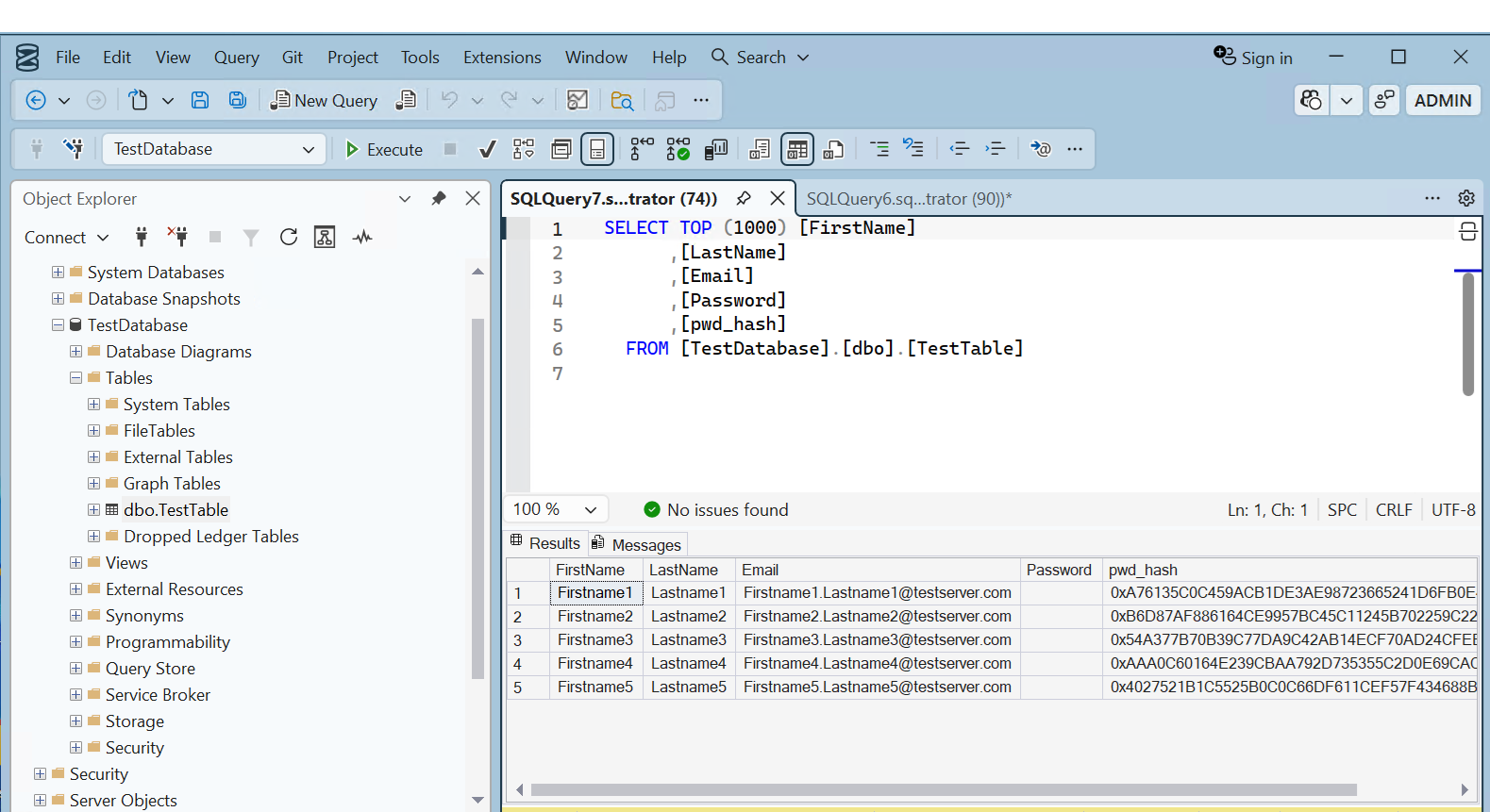
Notice the pwd_hash column has new values corresponding to the asymmetric key.
-
Run the following query to decrypted the column above.
USE TestDatabase; UPDATE TestTable SET Password = DECRYPTBYASYMKEY(ASYMKEY_ID('DBASymKey'), pwd_hash); GO -
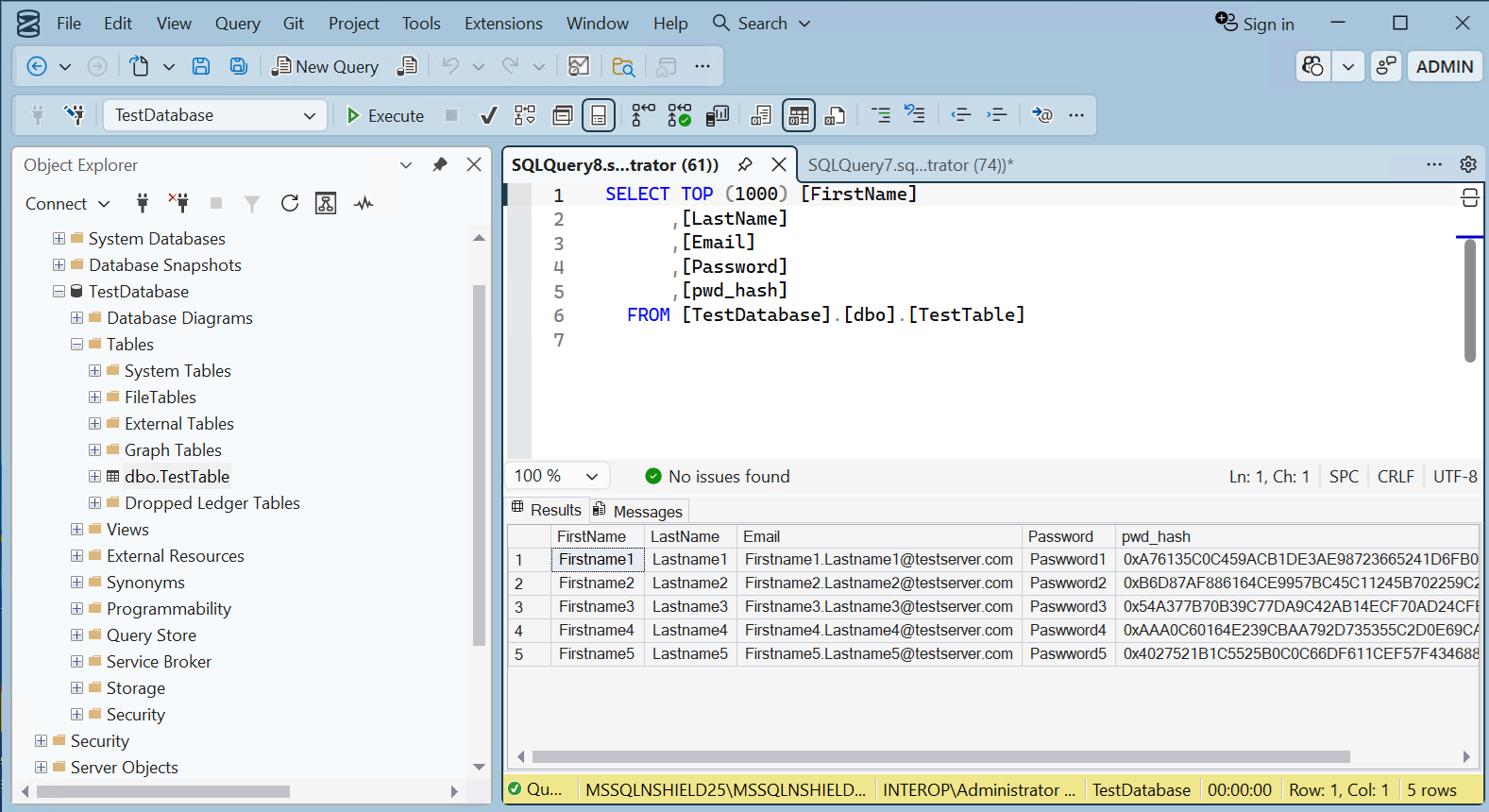
Notice the Password column is now populated with the decrypted password.
Encrypt a column with the imported asymmetric key
To encrypt a column with the imported asymmetric key:
-
Run the following query to encrypt the passwords with the imported asymmetric, and populate the Password column with blanks.
USE TestDatabase; UPDATE TestTable SET pwd_hash = ENCRYPTBYASYMKEY(ASYMKEY_ID('DBExistingASymKey'), Password); UPDATE TestTable SET Password = ''; GO -
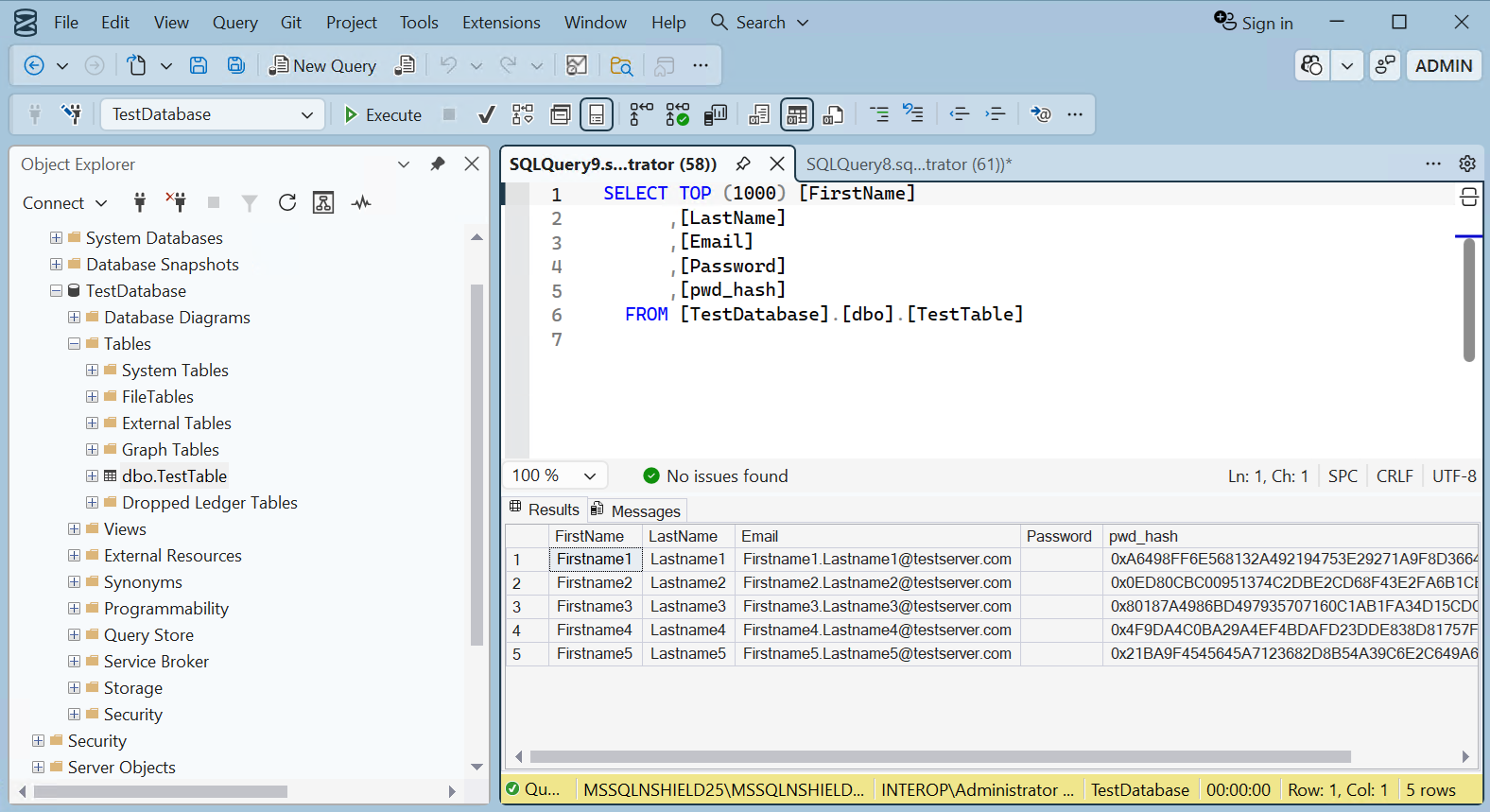
Notice the pwd_hash column has new values corresponding to the imported key.
-
Run the following query to decrypted the column above.
USE TestDatabase; UPDATE TestTable SET Password = DECRYPTBYASYMKEY(ASYMKEY_ID('DBExistingASymKey'), pwd_hash); GO -
Notice the Password column is now populated with the decrypted password.