How to build the executable
Perform the following steps on a Windows server. It does not necessarily need to be one that is hosting KeySafe 5.
Install Python
-
Check the version of Python installed.
>python --version Python was not found ... -
If no version is installed or the currently installed version is older than v3.8, download and install the latest version from Python download.
>python --version Python 3.11.9 -
Verify the following Python packages: requests and pyyaml.
>pip show requests WARNING: Package(s) not found: requests >pip show pyyaml WARNING: Package(s) not found: pyyaml -
If they are missing, install them.
>pip install requests pyyaml -
Verify the installation.
>pip show requests
Name: requests
Version: 2.34.2

>pip show pyyaml
Name: PyYAML
Version: 6.0.3
Install source files
These steps require the compressed KeySafe 5 installer.
-
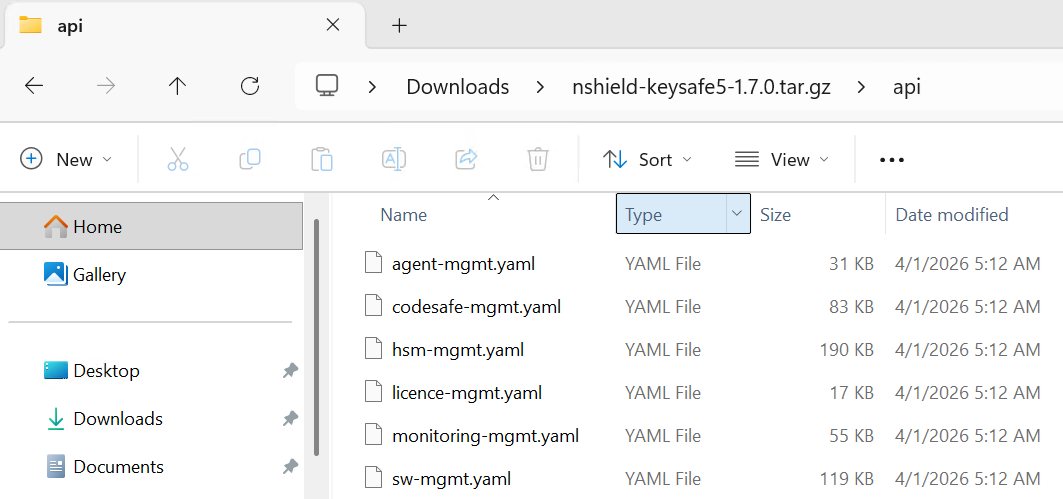
Open the compressed KeySafe 5 installer and locate the YAML files.
-
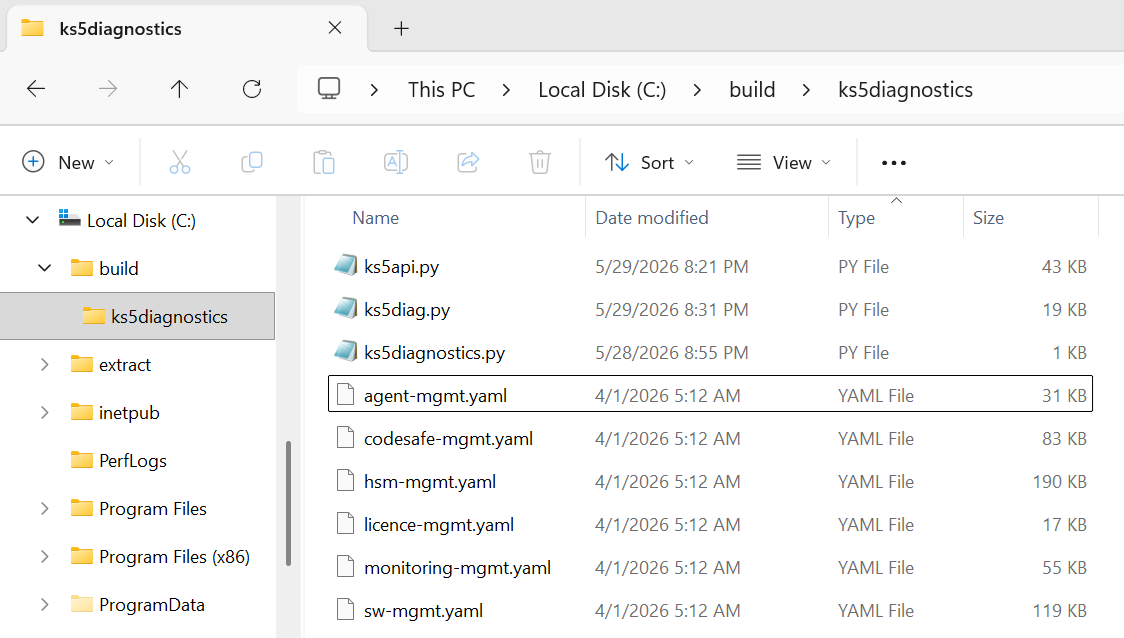
Copy the YAML files to a location in the server.
-
Copy the Python source files to the same location.
Build the Windows executable
-
Construct the following build command.
pyinstaller ks5diagnostics.py --onefile ^ --add-data "ks5api.py;." ^ --add-data "ks5diag.py;." ^ --add-data "agent-mgmt.yaml;." ^ --add-data "codesafe-mgmt.yaml;." ^ --add-data "hsm-mgmt.yaml;." ^ --add-data "licence-mgmt.yaml;." ^ --add-data "monitoring-mgmt.yaml;." ^ --add-data "sw-mgmt.yaml;." -
Build the executable.
>pyinstaller ks5diagnostics.py --onefile ^ More? --add-data "ks5api.py;." ^ More? --add-data "ks5diag.py;." ^ More? --add-data "agent-mgmt.yaml;." ^ More? --add-data "codesafe-mgmt.yaml;." ^ More? --add-data "hsm-mgmt.yaml;." ^ More? --add-data "licence-mgmt.yaml;." ^ More? --add-data "monitoring-mgmt.yaml;." ^ More? --add-data "sw-mgmt.yaml;." 195 INFO: PyInstaller: 6.20.0, contrib hooks: 2026.5 195 INFO: Python: 3.11.9 211 INFO: Platform: Windows-10-10.0.26100-SP0 211 INFO: Python environment: C:\Users\Administrator.INTEROP\AppData\Local\Programs\Python\Python311 213 INFO: wrote C:\build\ks5diagnostics\ks5diagnostics.spec 222 INFO: Module search paths (PYTHONPATH): ['C:\\Users\\Administrator.INTEROP\\AppData\\Local\\Programs\\Python\\Python311\\Scripts\\pyinstaller.exe', 'C:\\Users\\Administrator.INTEROP\\AppData\\Local\\Programs\\Python\\Python311\\python311.zip', 'C:\\Users\\Administrator.INTEROP\\AppData\\Local\\Programs\\Python\\Python311\\DLLs', 'C:\\Users\\Administrator.INTEROP\\AppData\\Local\\Programs\\Python\\Python311\\Lib', 'C:\\Users\\Administrator.INTEROP\\AppData\\Local\\Programs\\Python\\Python311', 'C:\\Users\\Administrator.INTEROP\\AppData\\Local\\Programs\\Python\\Python311\\Lib\\site-packages', 'C:\\build\\ks5diagnostics'] 593 INFO: Appending 'datas' from .spec ... 14551 INFO: Building EXE from EXE-00.toc completed successfully. 14555 INFO: Build complete! The results are available in: C:\build\ks5diagnostics\dist -
Test the build.
C:\build\ks5diagnostics>cd dist

C:\build\ks5diagnostics\dist>ks5diagnostics.exe
Usage:
  ks5diagnostics.exe diag [options]
  ks5diagnostics.exe <ks5api command>